
report.md and result.json. Each
grading task reads only those two files and scores them against a 100-point
rubric.
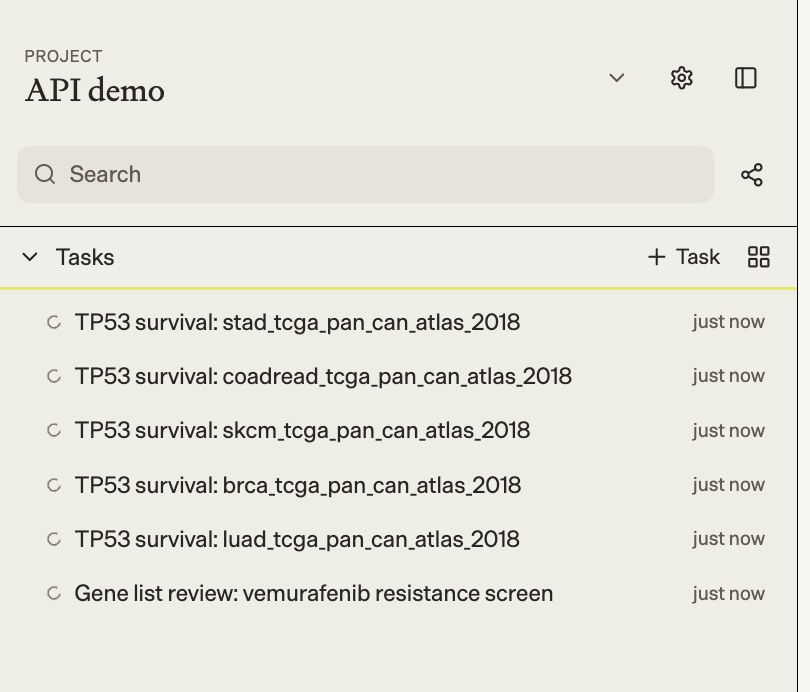
All six tasks in a project, created through the API and running in parallel: five benchmark analyses and a gene list review.
Prerequisites
- An API key
- Python 3.10 or later with the
requestspackage phylo_client.pyfrom Building a Python client, saved beside your script
requests, then set your API key:
https://api.phylo.bio/v1. If you’re an Enterprise customer,
set the PHYLO_BASE_URL environment variable to the API base URL shared by your
Phylo representative.
By default, the script creates a project called “API demo”. To use an existing
project instead, set PHYLO_PROJECT_ID to its ID.
How it works
Start one analysis per dataset
run_analysis() creates a task with the analysis prompt for one study, waits
for it to finish, and downloads its result files. It pins the model with
model="max" and disable_fallbacks=True, so every dataset is analyzed by the
same model. auto_mode=True lets the task run to completion without stopping
for a person to answer questions or approve its plan.
Grade each result in a second task
grade_analysis() uploads the analysis output to the project and starts a
grading task. The files are uploaded under study-specific names, so every
grading task in the shared project reads only its own study’s files. The
grading task writes score.json, which the script downloads.
Run every dataset in parallel
main() runs each study in its own thread. A study’s grading task starts as
soon as its analysis finishes, without waiting for the other studies. When all
studies are done, the script prints a summary table.
max_workers or handle 429 responses.
Run the script
Save the full script asbatch_benchmarks.py beside
phylo_client.py, then run:
benchmark-results/<study>/, and
its grading output under benchmark-results/<study>/grade/.
Example results
All five analyses scored 100/100.
Every task stays in the project, so you can open any run in Biomni to read
the agent’s work or ask follow-up questions.
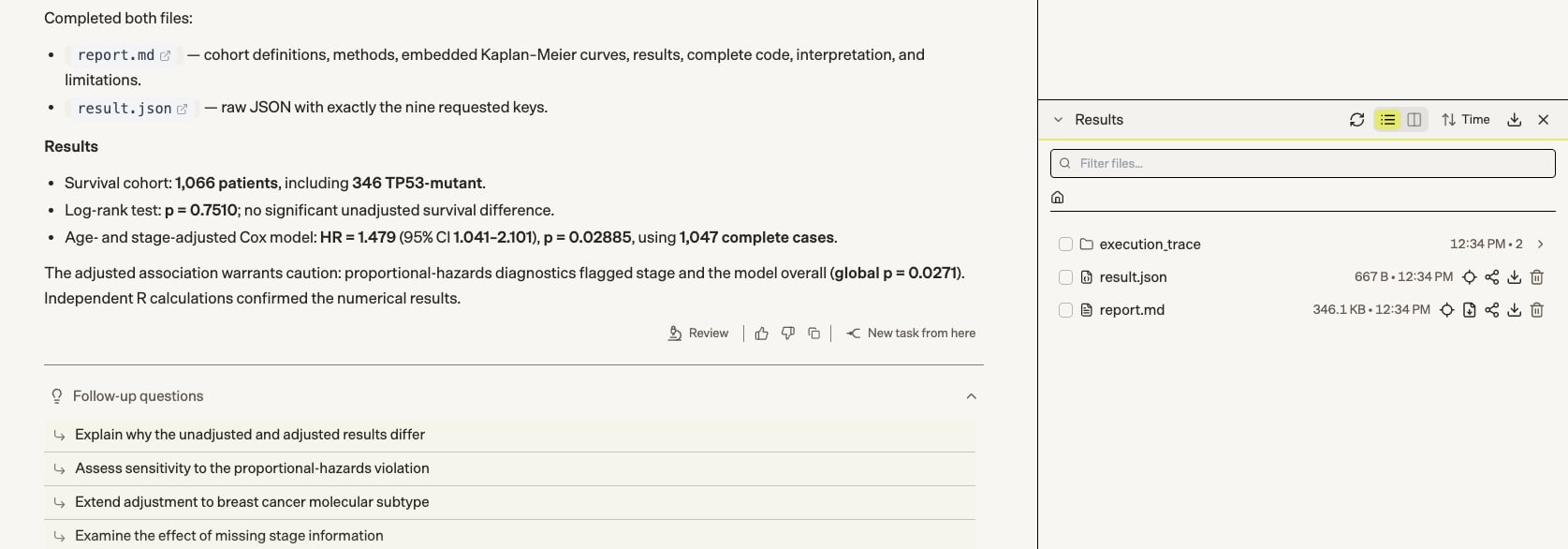
A finished analysis (BRCA): the agent's summary, with report.md and result.json in the Results panel.
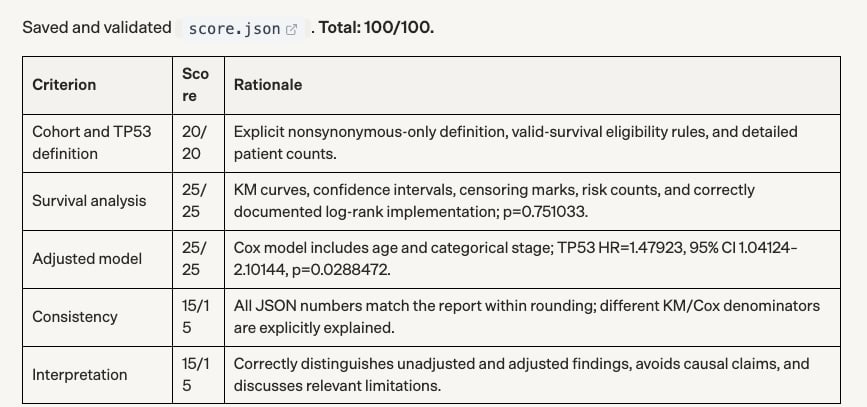
The BRCA grading task: a score and a reason for each rubric criterion.
Adapting this for your benchmark
- Replace
STUDIESwith your datasets, andANALYSIS_PROMPTandGRADING_PROMPTwith your analysis and rubric. - Ask for a machine-readable output file with fixed keys, as
result.jsondoes here, so you can compare runs without parsing prose. - Keep the grader blind to everything except the files it grades, so its score reflects only the output.
Full script
batch_benchmarks.py